Documents
Documents can be created through the Documents tab or through the details tab of the data element (e.g. Part, Purchase List, etc.) they refer to.
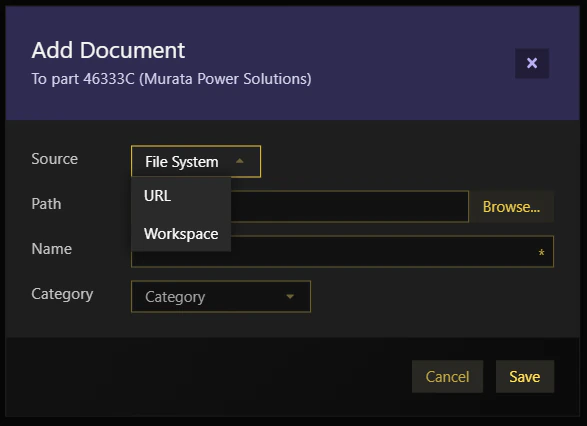
When assigning documents to things on the app, you can pick whether to create a new document or to select an existing one from your workspace. Files can also be drag-and-dropped onto documents tables.
Document Codes
Documents have a Code field, to identify them (e.g. DOC-0042). Codes can be automatically generated, similarly to internal part numbers, by enabling the code generator under Settings > Workspace > Documents.
On Team Workspaces, the file size limit is 100 MB. To keep track of files bigger than this we recommend storing them on a shared network drive or hosting them on an external service and adding them on the app as an URL.