This release brings some long-awaited features and improvements!
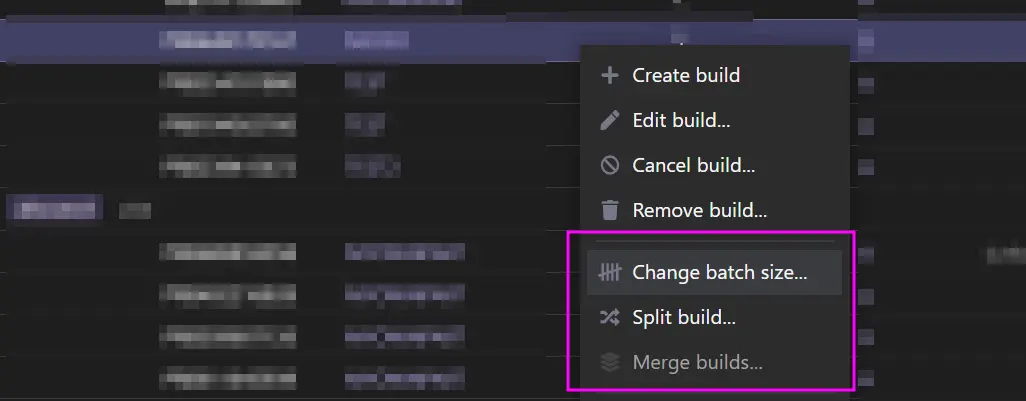
You can now change the batch size of production builds, split production builds, merge production builds (for the same product revision) and partially finish a production build.
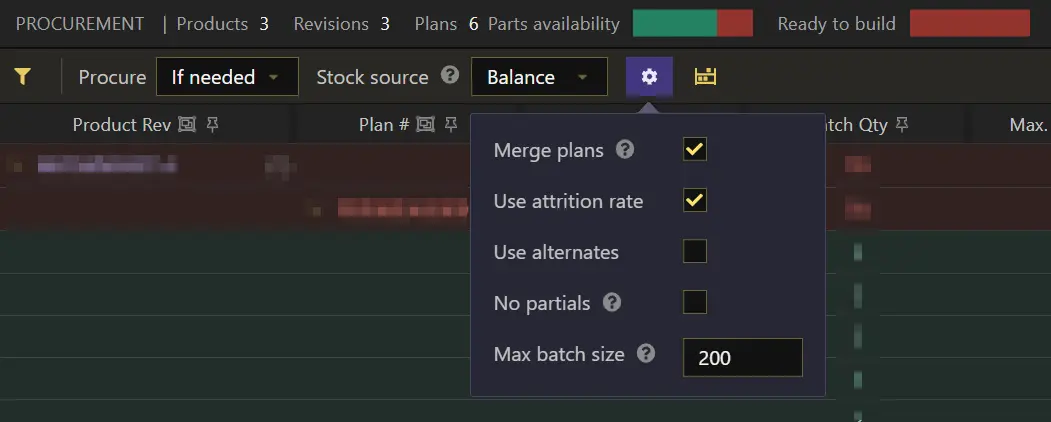
When handling procurement, the automatically created production builds can now have a max batch size. All procurement options are now accessible through a button and tooltip (as seen below).
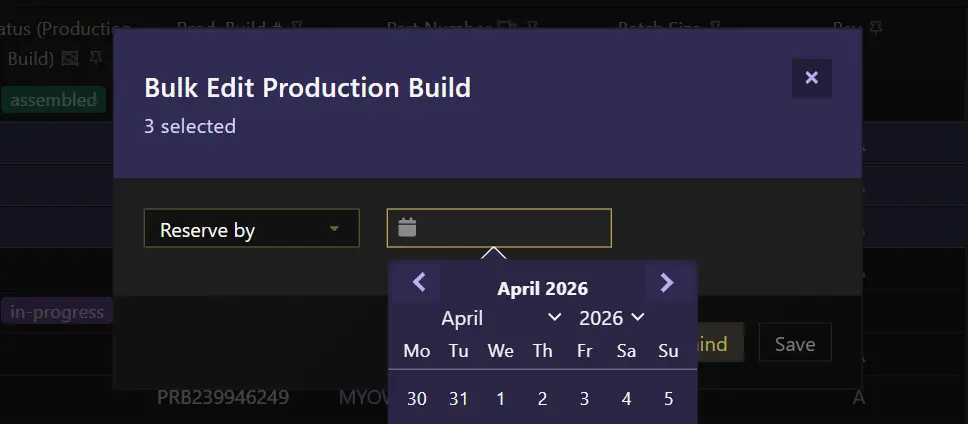
You can also bulk edit fields for most data on the app. Before, only parts and storage had a dialog for bulk editing fields.
Partially finishing a production build
When finishing a production build you can now enter a quantity to be finished (defaults to the entire quantity, the production build's batch size).

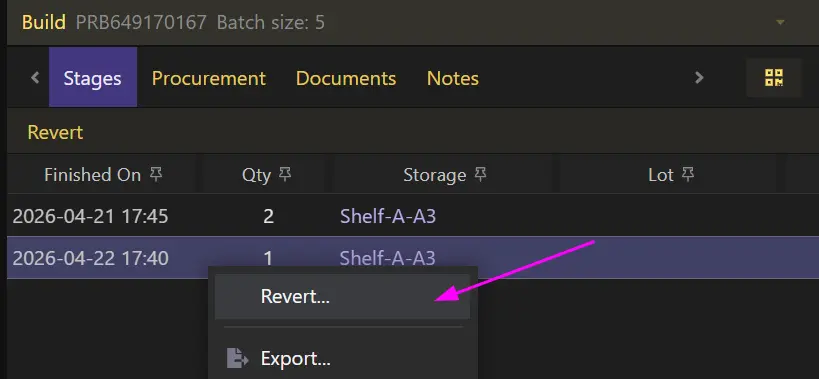
If a partial quantity is finished, a build stage is created, which can be accessed through the production build's details tab (see below). From there you can see how many stages the production build has been through and the quantities finished (i.e. produced) in each stage. You can also revert any of these stages.
When a production build has been partially finished, the Assembled status on the progress bar will indicate its completion status (percentage).
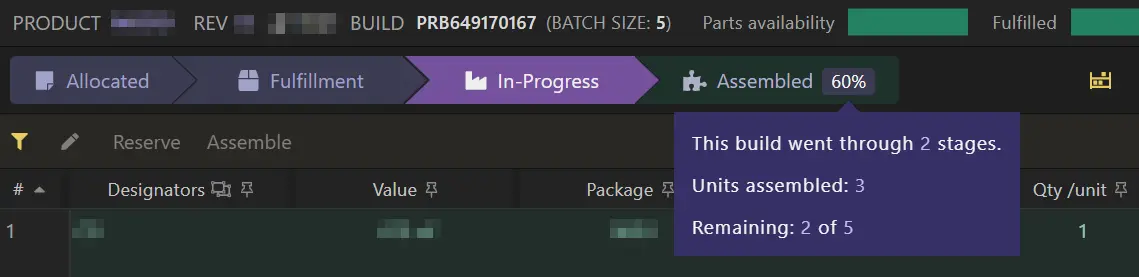
Every partial finish works the same as if the whole quantity has been produced when it comes to updating the unit cost and traceability: the unit cost can be updated and a lot can be created for every partial finish. The items on a production build still have to be reserved or marked as assembled in full.
Splitting a production build
When splitting a production build you can also indicate if the chunks should use attrition rate, don't use at all, or to use attrition only on the first chunk.
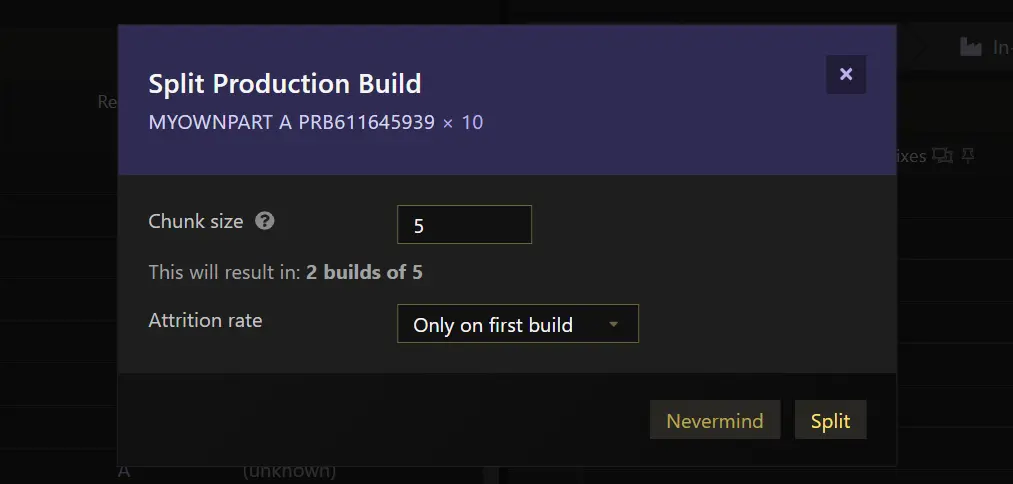
Using attrition only on the first chunk might be useful if you'll use the same pick and place machine to handle all the chunks (most likely for the same product to be produced) so only the initial setup (i.e. production build) would account for losses for the whole production. Essentially these production builds would represent a single production line but split in chunks for easier and/or more accurate tracking as inventory still have to be reserved and marked as assembled in full.
Changing the batch size
When changing the batch size, you can also change the use attrition setting, or even keeping the same batch size and just changing that setting. Changing the batch size unreserves and reverts assembled inventory (if any) so it will have to be reserved or marked as assembled again for the updated batch size.