This update brings many new features and improvements.
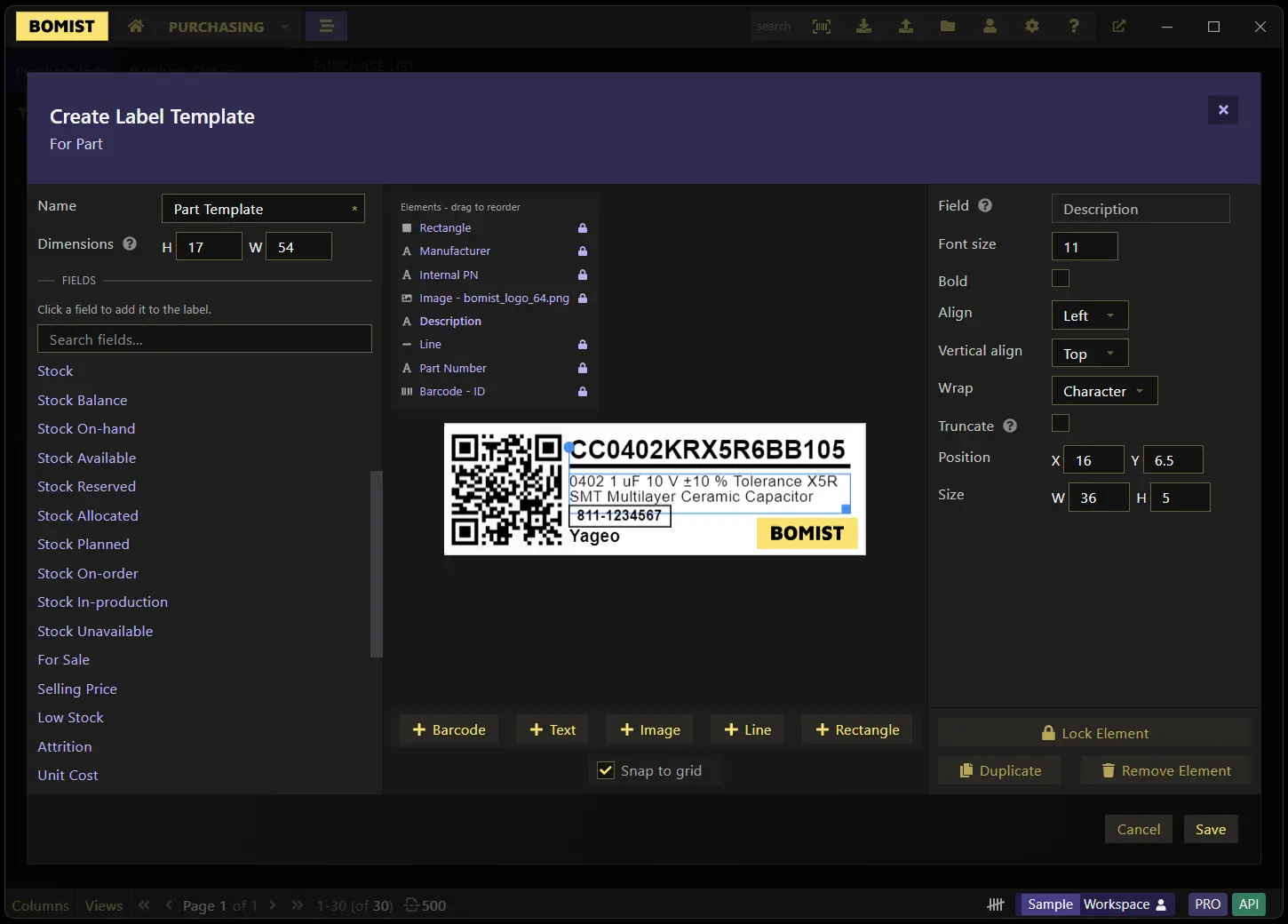
New feature: Label Designer. Barcode label templates can now be fully customized through a new canvas-based label designer, instead of relying only on the app's built-in layouts.
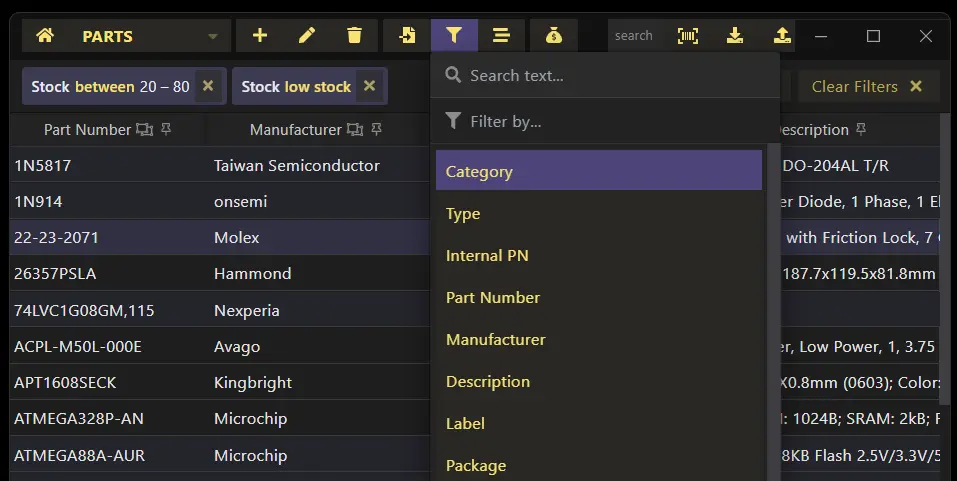
New feature: Filters have been completely redesigned. A single field can now be used more than once in the filters (e.g. "Stock > 10 AND Stock < 20">), search modifiers have been expanded (e.g. search between dates) and an AND/OR condition can be applied to the filters.
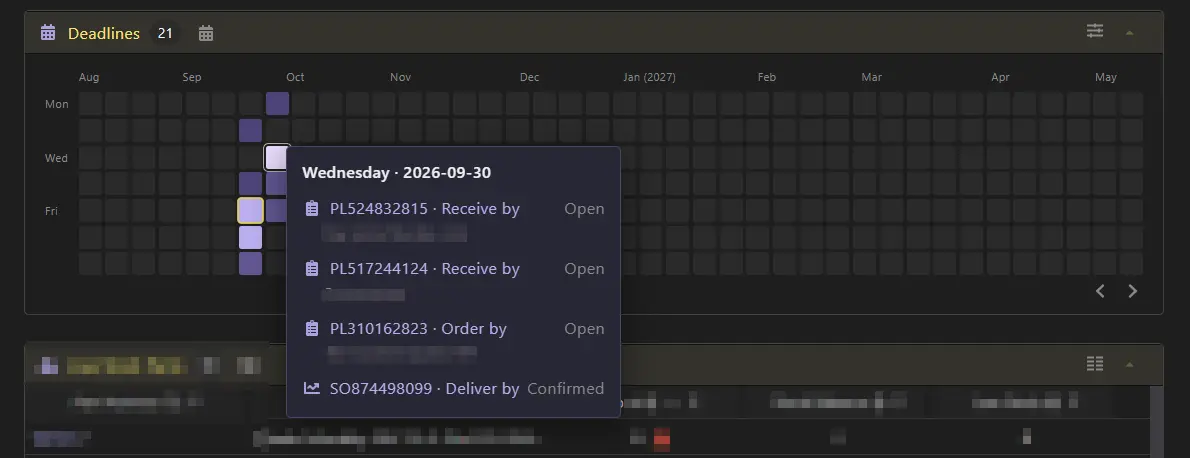
New feature: Deadlines Heatmap. Deadlines can now be visualized on a new heatmap on the Dashboard, so you can spot upcoming and overdue dates at a glance across purchasing, production and sales.
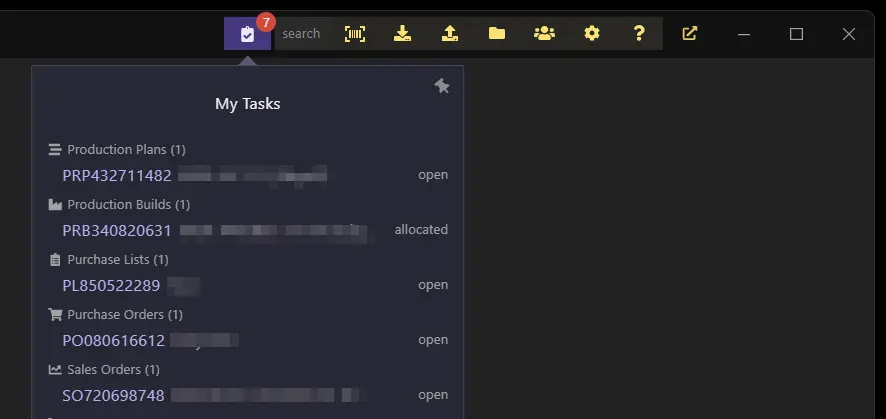
New feature: Task Assignment. On Team Workspaces, you can now assign a team member to purchase lists, purchase orders, sales orders, production plans/builds and stock operations (pick lists and stock adjustments). A newMy Tasksbutton on the app's navigation bar lets each team member quickly see everything that's been assigned to them.
New feature: Private Views. On Team Workspaces, saved table views can now be kept private to you instead of always being shared with the rest of the team.

New feature: Barcode custom fields. Custom fields can now be of typeBarcode. Whenever scanning data the app will now also search on barcode fields by default.
Other significant improvements:
- Dashboard: new
Quick Actionsmenu and a newInventory Value Reportsection - Dashboard: columns visibility can now be toggled
- Purchasing: quantities on a Purchase List can now be auto-adjusted so they comply with MOQ and order multiples
- When creating builds and procurement, parts attrition rate can now be applied only to purchasing or both to purchasing and the production builds
- API: new endpoints for Team Members, Stock Ops (adjustments and pick lists), barcode scanning, Sales Order/Production Build reserve/unreserve/assemble/deliver, and searching online quotes for a supplier