This release brings many long-awaited features and improvements. All of them have been previously released on the beta channel, where you can find more details about each one.
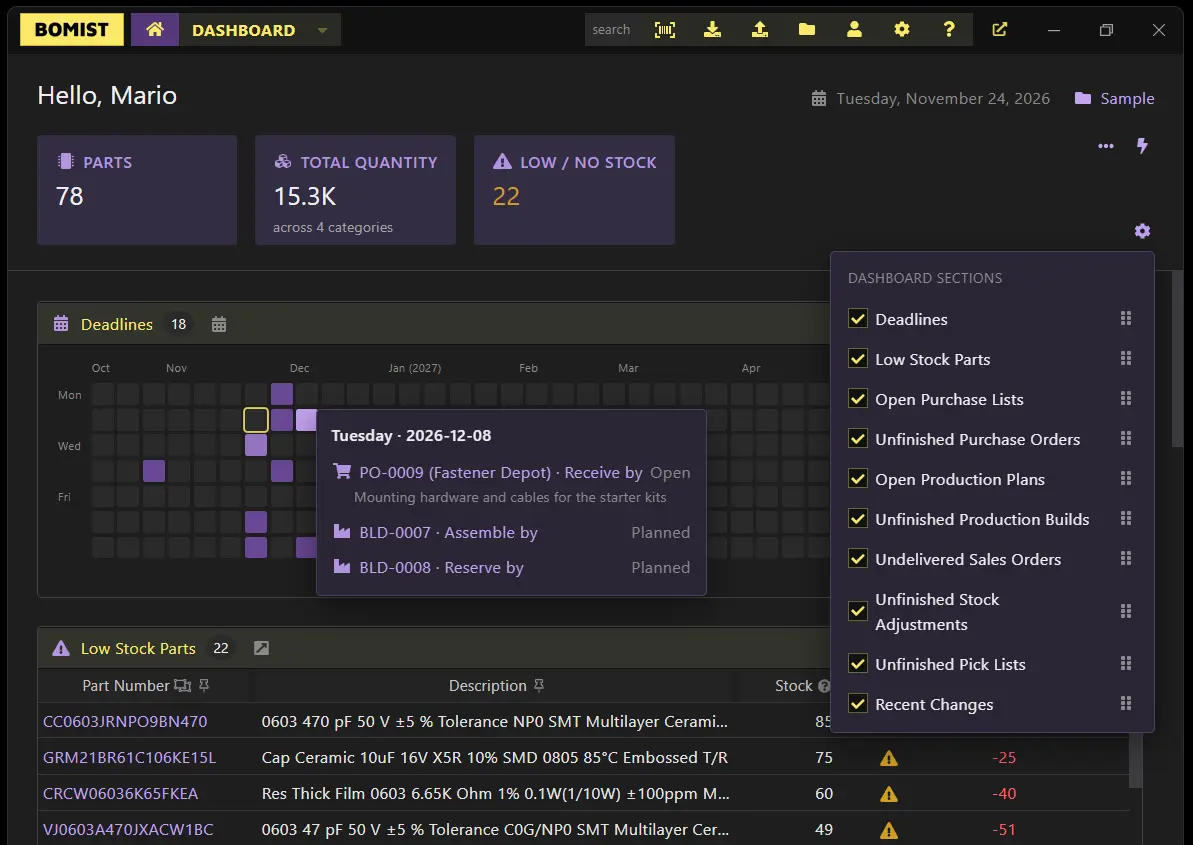
New feature: Dashboard. The Dashboard is now the main entry point to the app and gives you an overview of your most important data: low stock parts, open purchase lists, upcoming and overdue deadlines (on a heatmap), the inventory value report and quick actions. Its sections can be reordered or toggled on/off. The Deadlines Heatmap lets you spot upcoming and overdue dates at a glance across purchasing, production and sales.
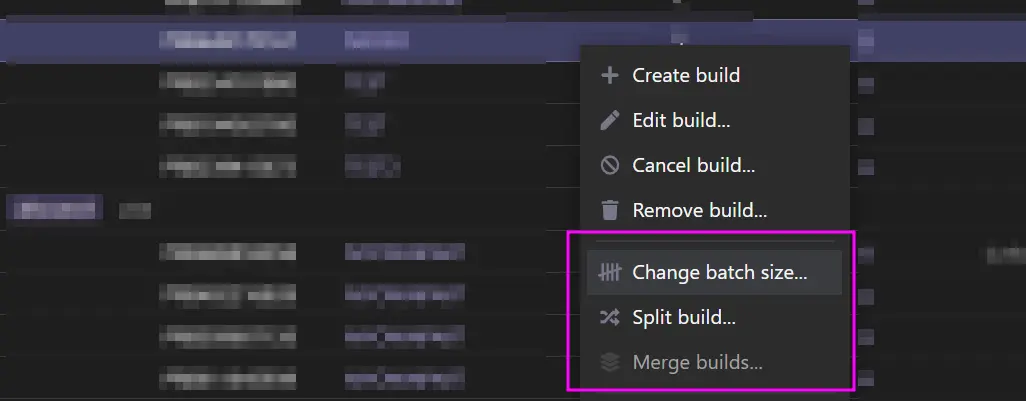
New feature: Production builds can now have their batch size changed, be split into smaller builds and be merged (for the same product revision). When handling procurement, the automatically created builds can now have a max batch size.
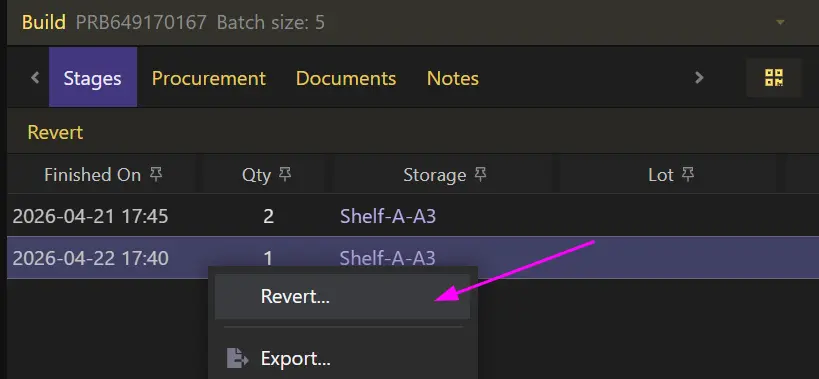
New feature: Partial build finishes. A production build can now be partially finished by entering the quantity to finish (it defaults to the whole batch size). Each partial finish creates a build stage, which can be reverted from the build's details tab, and works the same as finishing the whole quantity: the unit cost can be updated and a lot can be created for each stage. TheAssembledstatus on the progress bar shows how much of the build has been finished.
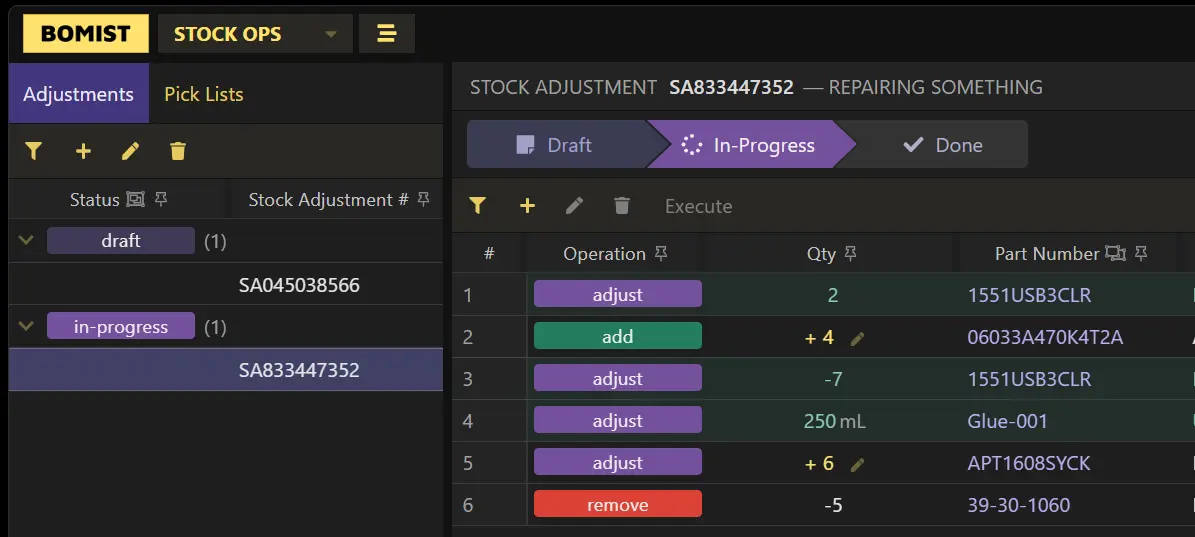
New feature: Stock Ops (stock operations). A new menu to list operations that affect your stock in bulk:Stock Adjustments(inventory to be added, adjusted or removed all together, e.g. when doing repairs or listing production deviations) andPick Lists(inventory to be moved between storage locations). Once listed, they're all done at once withExecute. Parts, storage locations, inventory and production build items can be added to a pick list through theAdd tomenu on their tables.
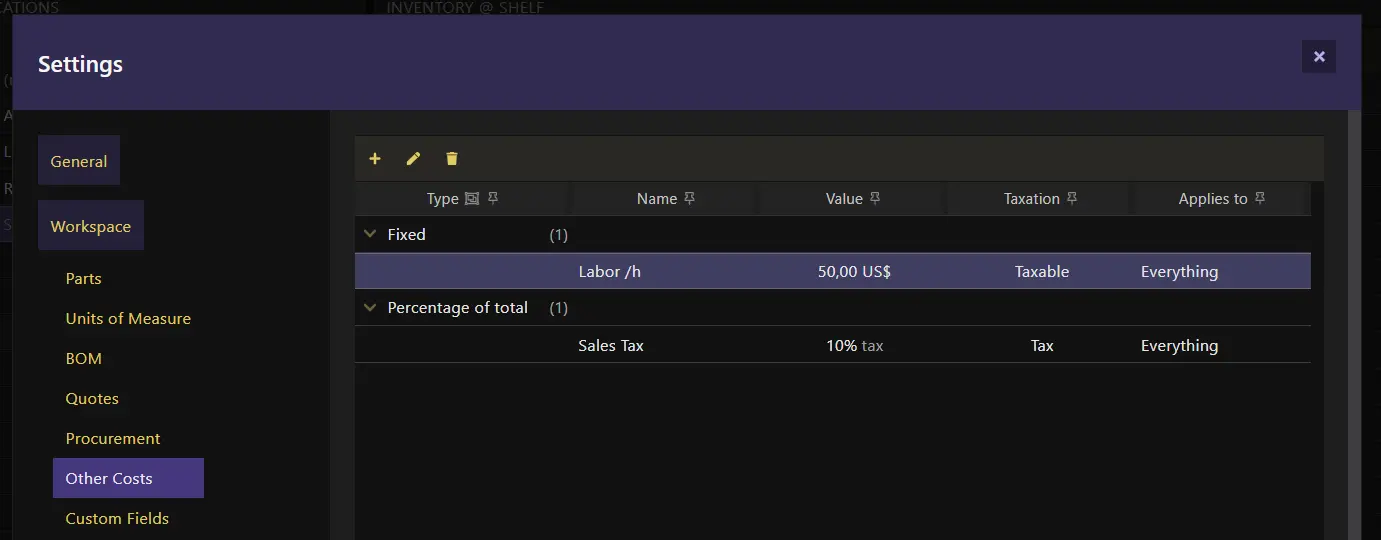
New feature: Other Costs. Besides Sales Orders, other costs (shipping, fees, labor, tooling, etc.) can now also be added to Purchase Orders and to Products (BOM revisions and production builds). A cost can be a fixed amount, a fixed amount per row, or a percentage of the order's subtotal, and frequently used costs can be defined once onSettings > Other Costs. On Purchase Orders and Production Builds, other costs become part of the unit cost of the parts received or the product built.
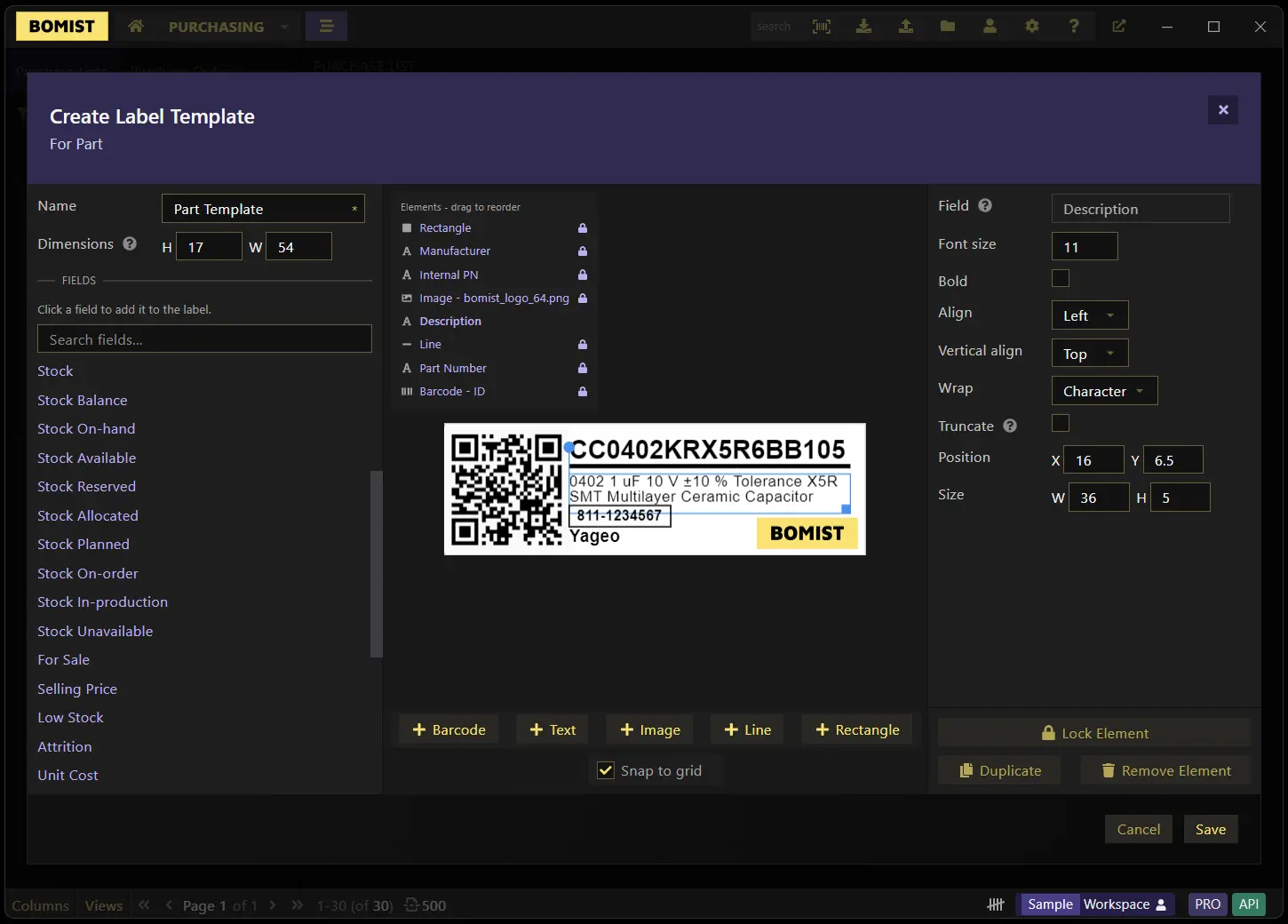
New feature: Label Designer. Barcode label templates can now be fully customized through a new canvas-based label designer, instead of relying only on the app's built-in layouts.
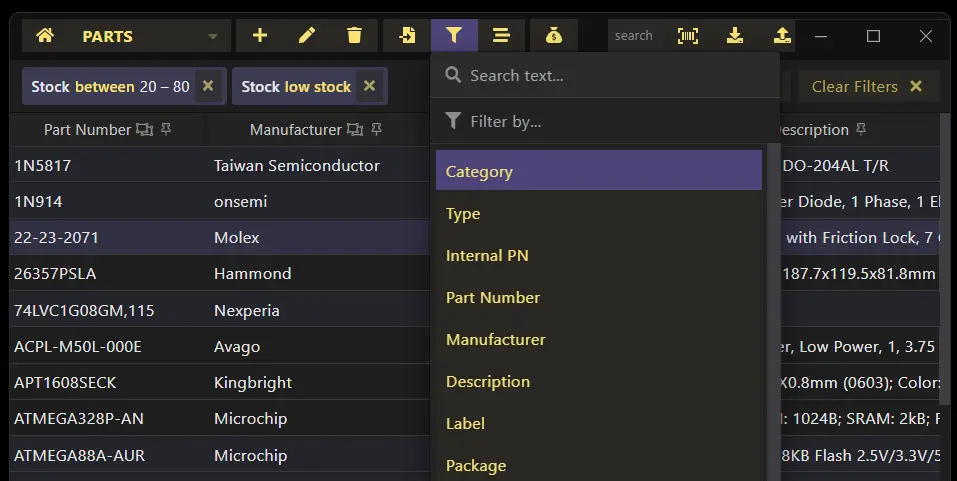
New feature: Filters have been completely redesigned. A single field can now be used more than once (e.g. "Stock > 10 AND Stock < 20"), search modifiers have been expanded (e.g. search between dates) and an AND/OR condition can be applied to the filters.
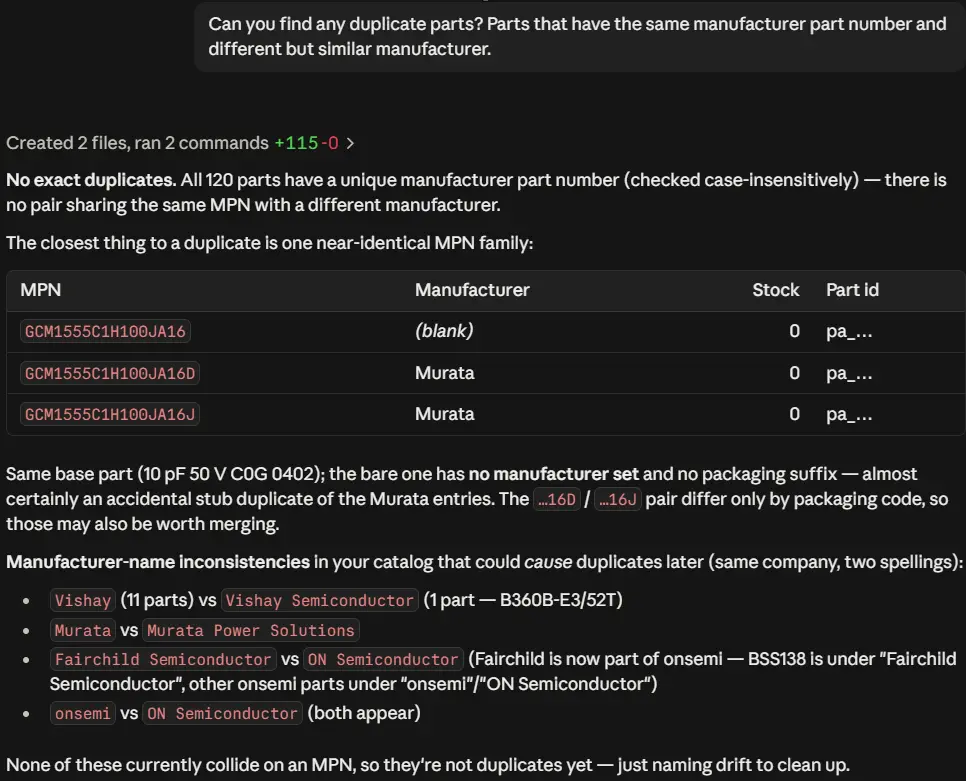
New feature: MCP server. Connect your favorite AI/MCP client (e.g. Claude Desktop) and have the AI work with your BOMIST data. It can be enabled fromSettings > API & MCP, and it's read-only unless you enableAllow write operations. Learn more
-
New feature: CLI mode. The app can now run without a window (--cli): it signs in, opens a workspace and serves the local API (and optionally the MCP server) to scripts, integrations and other computers. This is useful to run an instance of the app on a server, so your workspace's data is always available without anyone having to keep the app open on their computer. Learn more -
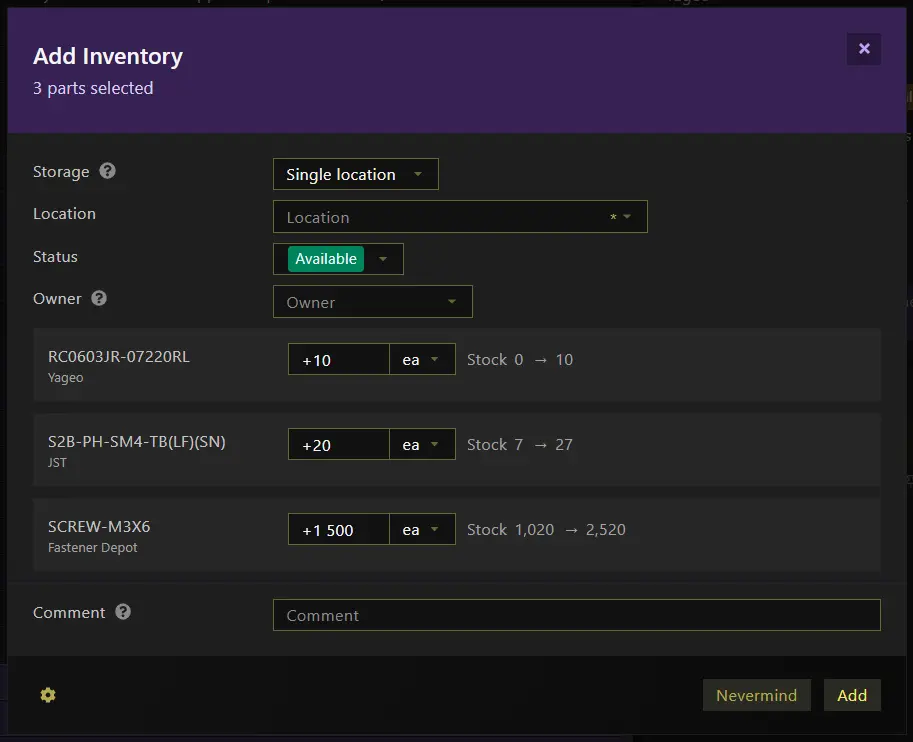
New feature: Bulk inventory operations. Inventory can now be added to several parts at once, and several inventory entries can be adjusted or moved at once. The destination can be a single location, an individual location for each entry, or the default storage of each part (parts can now have a default storage location).
-
New feature: BOMs for Consumables. In-house consumable parts (e.g. a glue, a solution or a paint) can now have a product, so they can be produced too. Their BOM only takes items measured in fractional units (length, area, volume, weight) and each revision defines what a run of its BOM produces (e.g. "to produce 2.5L you need 20ml of glue..."). -
New feature: Task Assignment. On Team Workspaces, you can now assign a team member to purchase lists, purchase orders, sales orders, production plans/builds and stock operations. A newMy Tasksbutton on the app's navigation bar lets each team member quickly see everything that's been assigned to them.
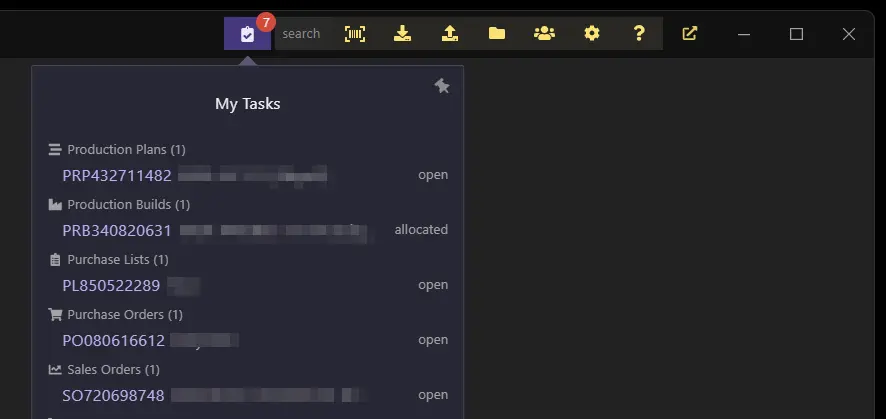
New feature: Private Views. On Team Workspaces, saved table views can now be kept private to you instead of always being shared with the rest of the team.

New feature: Rename parts. The Part Number and Manufacturer of outsourced parts can now be changed and the rename is logged on the part's history.
Other significant improvements:
- Fields can now be bulk edited for most data on the app (before, only for parts and storage)
- Inventory can now be assigned to a Contact (
Assign to...andUnassign...on inventory tables), and the Contact's history shows when inventory and storage locations were assigned or unassigned - Parts: new
Purchased #,Produced #andSold #counters keep track of how many units of a part have been purchased, produced and sold (counting starts with this version, but they can be edited to set what was done before). NewPurchasing UoMandProduction UoMfields set the unit of measure used by default for the part on purchase lists and on BOMs / production builds, respectively - Purchasing: quantities on a purchase list can be auto-adjusted to comply with MOQ and order multiples, and the part of an item's quantity that isn't explained (previously shown as "(unknown)") can now be given a comment through the quantity's info icon
- Production: a build can now be finished with 0 units, the status (available or unavailable) of the inventory resulting from production can be picked, and the attrition rate can be applied only to purchasing or both to purchasing and production builds when handling procurement
- Inventory: reserved inventory can now be managed independently of the available/unavailable inventory it was reserved from. Before, moving available/unavailable inventory also moved the reserved inventory linked to it. Now they can be moved separately, although the app still asks whether you want to move all of it (available/unavailable and reserved) when it's under the same storage location
- Inventory:
Remove if empty(Settings > Workspace > Parts) now has 3 modes:Never,AlwaysandNon-traceable only(inventory with a lot, ID code or date code is kept with zero quantity so you can keep track of it) - Custom fields: part custom fields can now be limited to certain part categories and types
- Custom fields: can now be of type
Barcode, and scanning data also searches on barcode fields - BOM: row numbers can now be reordered according to the current sorting (
Renumber rows) - BOM comparison: you can now pick which fields are compared (and shown), including custom fields of parts and BOM entries
- CSV imports: the columns of BOMs exported by EDA tools (KiCad, Altium, EasyEDA, OrCAD, Eagle / Fusion, Proteus), JLCPCB's format and distributors' exports are now recognized automatically
- API: new endpoints for Team Members, Stock Ops, barcode scanning, receiving Purchase Order items, reserving, assembling and delivering Sales Order/Production Build items, and searching online quotes for a supplier. See API documentation
- Permissions are now more detailed: Inventory has its own section, Purchase Lists and Purchase Orders have their own access levels, and there are new actions that can be granted on their own (
Can receive,Can reserve,Can deliverandCan finish build). A newAccess topermission on Storage, Contacts and Suppliers limits a role to some of them - Team Workspaces: syncing has been greatly improved and its progress is now displayed (click the sync badge on the navigation bar): how much is left to receive and to send, when it last synced, and what's wrong when it can't sync. The progress of creating database indexes, the first time a workspace is loaded on a computer, is now shown too
- The Sample workspace has been redone to showcase all the current features of the app, and it can be reset back to its original state at any time (
Resetbutton on the workspace selection dialog)
Significant changes:
- API: now uses the app's names everywhere:
/products(instead of/projects),product,product_rev,production_build,production_build_itemandcontact. Inventory statuses are nowavailable,unavailableandon_order(instead ofon_hand,obsoleteandpurchased), as announced on v2.14.0. The legacy names are still accepted on requests, and answers can use them by sending theX-BOMIST-Legacy-Names: trueheader